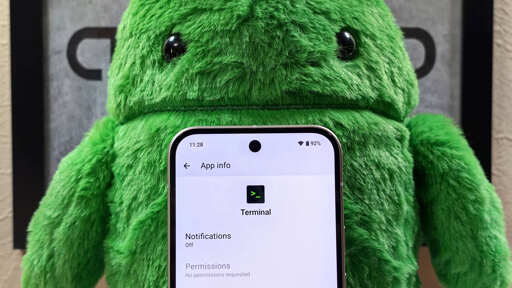
Google is developing a Terminal app for Android that’ll let you run Linux apps. It’ll download and run Debian in a VM for you.
…
Engineers at Google started work on a new Terminal app for Android a couple of weeks ago. This Terminal app is part of the Android Virtualization Framework (AVF) and contains a WebView that connects to a Linux virtual machine via a local IP address, allowing you to run Linux commands from the Android host. Initially, you had to manually enable this Terminal app using a shell command and then configure the Linux VM yourself. However, in recent days, Google began work on integrating the Terminal app into Android as well as turning it into an all-in-one app for running a Linux distro in a VM.
…
Google is still working on improving the Terminal app as well as AVF before shipping this feature. AVF already supports graphics and some input options, but it’s preparing to add support for backing up and restoring snapshots, nested virtualization, and devices with an x86_64 architecture. It’s also preparing to add some settings pages to the Terminal app, which is pretty barebones right now apart from a menu to copy the IP address and stop the existing VM instance. The settings pages will let you resize the disk, configure port forwarding, and potentially recover partitions.
…
If you’re wondering why you’d want to run Linux apps on Android, then this feature is probably not for you. Google added Linux support to Chrome OS so developers with Chromebooks can run Linux apps that are useful for development. For example, Linux support on Chrome OS allows developers to run the Linux version of Android Studio, the recommended IDE for Android app development, on Chromebooks. It also lets them run Linux command line tools safely and securely in a container.
Termux has been a thing for years.
Yeah but I bet google’s one will have lots of cool features like being harder to use and not supporting becoming root and requiring google play services for no discernable reason
Termux has been a thing for years.
Termux is not a full linux environment, you need proot (slow) or chroot (insecure) to get a full environment.
Not arguing, just curious: what makes chroot insecure? I’ve used it for installing Gentoo, but I don’t really understand what it’s doing under the hood.
Chroot = change root, and needs root to do so. Doing anything as root is insecure. escaping a chroot really isn’t all that hard. The second you elevate privledges, you need extra steps to to become secure. Chroot almost never involves any of these steps (though there is some selinux stuff you could do.)
This is an old example, but still a valid one https://github.com/earthquake/chw00t
Termux recently got moved off of the play store (kinda), and is now only available on f-droid/github, because Google was further locking down what they allowed on their store.
And in addition to that, they recently added a restriction in later versions of Android: “Child process limit”. Although this limit used to not there, when enabled, it prevents users from truly running arbitrary linux programs, like via termux.
Although the child process limit can still be disabled in developer options, it doesn’t bode well for how flexible base android in the future will be, since many times corpos like Google move stuff into the “secret” options before eventually removing that dial all together.
TLDR: Termux has been, and is a thing… for now.
Also, I want to shout out winlator. It uses a linux proot, similator to termux, and has box64 and wine inside that proot that people can use to play games. I tested with Gungeon, and it even has controller support and performance, which is really impressive.
winlator can run windows apps on android
Hey that sounds neat!
uses ubuntu as a base
Oh no…
MIT license
oh no
Have to install from github/no F-Droid build
oh no
Termux is just prootTermux is just a shell running in the context of an app
Termux doesn’t run arbitrary software. There’s a pretty large set that does but plenty doesn’t. A VM would resolve that.
Through termux you can already install a full linux distro on android. It is a little slow, but full desktop environment. Not bad if you have a phone that supports display output
So is termux a containerized Linux? (I haven’t looked into it yet, just on my list). I had assumed it was a VM, guess I was incorrect.
Yeah… While making users run Linux applications on a system where Google is root might be a wet dream for Google, it’s more of a nightmare for me.
I really hate the fact that the vast majority of consumers are perfectly fine with not being in full control of their appliances and that Google (and others) register everything they do.
an all-in-one app for running a Linux distro in a VM.
No, it won’t
let you run Linux apps on Android
It will let you run Linux apps in Linux
semantics