So it begins.
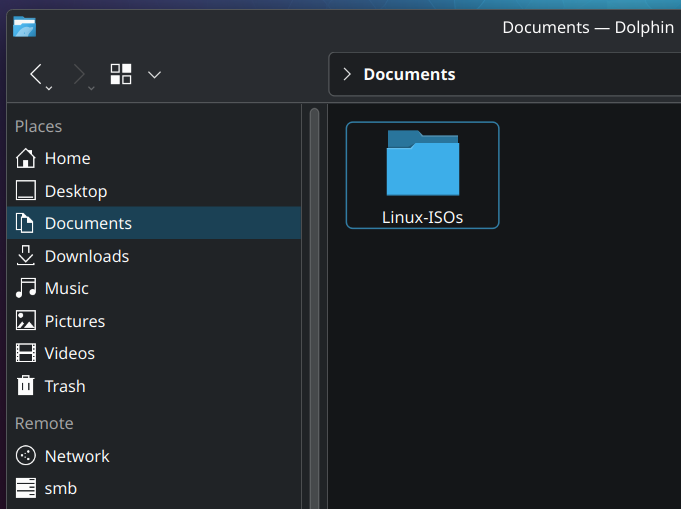
I’ve been flashing my USB often enough that it’s now worth it to keep all my ISO’s neatly to use them when I need them. I plan on buying 10 USB sticks to just have ready when ever I need a specific version.
I’m visiting family now, so time to upgrade their Linux Mint to Kubuntu
Are they Linux ISOs or “Linux ISOs”?
I mean…my connection is so fast it takes like, what, a minute, maybe two to get an ISO? The Internet is my backup device. I can still get copies of Yggdrasil from the early 90s.
Mine is so slow, 1 GB is half a hour.
- you need Ventoy to stop formatting you’re USB sticks
- Keeping lot of ISO is a bit useless just the few that you use daily.
- If you’re keeping this ISO anyway, get them by torrent and keep sharing for high availability
Another important point 4. Always check checksums (sha256 etc)
Is there a simple guide to checking checksums? It doesn’t seem like it should be complex but half the time the distro’s instructions don’t work for me!
Just use the appropriate command for the hash type, i.e.
sha256sum <filename>(iirc, might be wrong,manis your friend)First you need to download the provided file from the distro page. Something with Checksum in the name most of the time. The website should provide instructions. Please note that does not validate the gpg key.
Quick Method Terminal: Open the terminal at the location of the ISO file or go there with
cd. Typesha256sum NameOfIsoFile.iso- it takes a moment depending on your system. Copy the output (some long numbers/letters). Compare it with the downloaded checksum-file - open the file, press ctrl-f or whatever you have for find and paste it. If it’s found, it’s the same.Method KDE: Right click the file, open properties, then go to tab “Checksums”. Paste same number/letter combination from above into the provided space “Expected checksums…” - if it’s green, it’s correct.
Thanks, that does sound familiar. Maybe it was the gpg bit that confused me before.
While checking checksums is important, it you’re getting them from the same place as the download you might as well ignore the checksum. If someone can replace the download they can very likely also replace the checksum file download.
Also if you have a fast internet connection, check out https://netboot.xyz/
Ventoy is great, it’s my go to tool, boots on basically everything (even my MacBook) but… wasn’t there a scare about possibly being compromised because it builds itself from hundreds of modules on github or something like that?
Afaik the maintainer(s) have provided a reasonable explanation and cleared up the reproducible builds part
Oh that’s good to know. Thanks!
Ugh… why? I mean it’s a fun process to distro hop and better understand the different package managers, boot process, default services, etc but beyond that I’m confused at what the point is.
FWIW one can distro hop “virtually” in minutes using containers via Podman or Docker (or even QEMU to be more isolated) with images that do have a window manager, e.g. https://docs.linuxserver.io/images/docker-webtop/ provides Alpine, Arch, Debian, Enterprise Linux, Fedora and Ubuntu with i3, KDE, MATE or XFCE. Switching from one to another takes minutes (basically download time of image content) and if you mount the right directory you can even use your own content for your tests.
Edit : if one wants to install nothing https://distrosea.com/ is quite neat but it’s online.
Your family will hate you if you’ll change their distro and DE every time you visit them. Distro hopping is normal for the first couple of years, but do it on your own machine.
I’ve been using Linux for like 18 years and I still hop. I got a better idea of what I like to use for different situations though…but there are so many great builds/derivatives now. I’m pretty well settled into Bazzite and Nobara, or regular Fedora and Fedora Blue, depending on specific needs now though.
First couple of years? I was in my early teens when trying out many distros within a couple weeks, for example Puppy Linux, Ubuntu, Edubuntu, Ubuntu Netbook Remix, OpenSuse… Then I settled on Ubuntu and used that from 2008 to 2022, when I was fed up with Canonical shoving snapd down my throat and me having to uninstall it all the time. Since then I’ve used Debian exclusively, previously I only had it on some machines.
(I’ve also toyed a bit with the BSDs, but was missing systemd, so those never stuck with me.)
what is bsd?
ive heard of it, but not really seen or used it
Several different operating systems, such as FreeBSD, NetBSD, DragonflyBSD (the latter one having a live system and being the easiest to try out). Those have their history based in BSD. But thatʼs all bit too much to fit in s reply here.
Unlike Linux distributions, those projects develop a kernel and the other parts together and make an OS.
Most software will be available on BSDs and on Linux distributions.
So kinda like linux but not linux?
Linux and BSD have the same heritage, but took slighlty different paths… so they’re cousins.
Look it up on Wikipedia, etc… it’s an interesting bit of history.
UNIX was a proprietary operating system developed by AT&T that was originally shipped with source code.
BSD started as a set of enhancements to UNIX at Berkely University.
BSD developed into a fully independent UNIX distribution. BSD code was available for free and always non-proprietary.
In the early 90’s, AT&T launched a lawsuit to stop BSD from being distributed.
During that lawsuit, in 1991, Linus Torvalds created Linux. It was written from scratch to be like UNIX as Linus liked UNIX but could not afford it.
In 1993, BSD won its lawsuit and FreeBSD was born. But by then, Linux was already getting lots of attention. FreeBSD, while technically superior at the time, has never caught up in terms of popularity.
Linux uses the “design” of UNIX but is not UNIX. FreeBSD is considered “real” UNIX. Both implement the POSIX standard.
FreeBSD has always been focussed on servers. There are other BSD “distributions” that focus on different things: OpenBSD (security), NetBSD (portability), DragonFly BSD (innovation/performance). Some people consider macOS to be a BSD.
There are also “desktop” spins of FreeBSD like GhostBSD or MidnightBSD. FreeBSD recently has had more of a desktop push focussing on things like WiFi and power management. But it has nowhere near the hardware support that Linux has.
Linux, technically, is not a full operating system. It is just a kernel (the bit that talks to the hardware). The Linux kernel is released at kernel.org.
Linux “distros” collect a bunch of software to run on the Linux kernel to create a Linux distribution (full operating system). This includes key components like C library, core utilities, compilers, and init systems. Many Linux distros use software from the GNU Project for these components. But other Linux distros use non-GNU software for this, sometimes even software created by BSD.
As others have said, the BSD systems are built as an entire OS by a single team. FreeBSD 15 was just released. The entire software stack was created as a unit, including C library, utilities, compiler, and init system.
IRed Hat Linux is kind of developed as a full operating system as well as they are heavily involved in the kernel, are the primary contributors to the GNU tools, sheppard GNOME, and created Systemd. You could argue that Red Hat is the de facto Linux platform and that others distos build off that. But not everybody would agree.
So, Linux is more like UNIX but not UNIX (created in 1991) while BSD is UNIX (in continuous dev since the 70’s).
As a desktop OS though, Linux is substantially more popular than any BSD and so, these days, the tables have turned and the BSD variants often have to work to stay compatible with things that appear first on Linux.
I don’t mean to crash the party, I used to love Ventoy too. But then the blob issue came up and it was met with silence for over a year by the maintainer, that made me a bit uncomfortable. They have responded to it a while ago, but it’s no trivial task to solve as I understand it: https://github.com/ventoy/Ventoy/issues/3224
Remember to keep Hannah Montana Linux too!
Install Temple OS on your mom’s desktop
Wow, just looked that one up on Wikipedia… just… wow
Lol.
Uh… you do know that people don’t literally save a bunch of Linux ISOs, right? It’s a euphemism for collecting less legit things, like pirated media or porn.
By the time you want to install the same distro again, it’s likely that a new version will be out and you’ll want to re-download it anyway.
Speak for yourself. I have ISOs saved for my virtual machine “OS Museum” full of all kinds cool stuff like Damn Small Linux, TempleOS, Haiku, Hannah Montana Linux, the version of Mandrake Linux that came with the Sims 1 installed … Etc.
Objectively a good reason to store ISOs
551GB of ISOs here. Most are very old.
You can always just use the version you have and run an update after it’s installed.
You’re right, but I’m still saving them anyway◝(ᵔᗜᵔ)◜
If you’re wanting to use software that’s most easily available on different distros, why not just use Distrobox? If you are just wanting to change the UI, why not just switch DEs? If you really need to be able to randomly switch away from/to system level differences, what are you doing? What would necessitate that?
This is a phase that most Linux enthusiasts go through at some point. It takes time to understand what a distro really is.
People see distros as being much more different than they really are because of the default settings between distros being so different from each other.
At the end of the day a distro is basically just a way of choosing which group of people you want to trust to package software for you.
Upgrade Mint to Kubuntu 💀
isn’t it the other way? Ubuntu/Kubuntu -> Mint -> Arch-based (Manjaro, …), Arch … -> “btw”
I mostly found it funny they felt the neet to upgrade from mint on a family members computer to anything else, because I can’t imagine mint not already working fine for them.
I fail to see the benefit in “Upgrading” to kubuntu (or anything else) in this case.
But yes u right hehe arch btw but also mby mint btw 🤔
Use Ventoy, you can have dozens and dozens of ISO on one stick only, when you boot on it you can select the one you want.
The drawback of using Ventoy is that it doesn’t support systems that has too old BIOS installed. Otherwise it’s great.
You can use Ventoy to have many ISOs on one stick ^^
I wish I knew how it worked before! I thought it was a Windows only software and I kept installing isos to my USB one by one every time. Wasted so much time :')
10 USB sticks? why? just use ventoy and throw them all on an external SSD or something. that’s what I do. can even use that with specific dotfiles you need for each distro along with ventoy. much easier to deal with than 10 usb sticks.
Ah remember when I had this phase